
Best Text to Handwriting Converter Online
Turn your digital notes into realistic, human-like writing instantly with our easy-to-use text to handwriting converter. Simply type your text, choose your favorite style, and download a high-quality handwritten document ready for your next project.
Editor
Style & Export
Preview
Introducation
Let’s be honest, digital fonts can feel cold. A handwritten note adds a personal, genuine touch that typing just can’t replicate. Whether it’s for a school project or a sincere letter, handwriting stands out. But not everyone has the time or the perfect penmanship to write pages by hand. That’s where a Text to Handwriting Converter comes in. It’s the ultimate shortcut to getting an authentic look without the time, effort, or mess.
Presenting the Text to Handwriting Converter, a state-of-the-art digital technology that aims to reconcile efficiency with tradition. This app guarantees that your work retains its individuality without the physical strain of a pen, smoothly converting your typed text into realistic, human-like strokes across a variety of paper types.
How to Use the Text to Handwriting Tool
It’s easy to turn your digital notes into a realistic handwritten masterpiece. To achieve the greatest outcomes, adhere to this brief guide:
1
Enter Your Text
You can either copy paste your text from your documents or type it straight into the editor. For improved organisation, you can divide the material into headers and main body sections.
2
Choose a Handwriting Style
Look through our selection of more than 100 authentic fonts. Select the print style that best suits your project, whether it’s casual or crisp cursive.
3
Customise the Layout
To ensure the text flows properly, adjust the font size, line spacing, and letter spacing. To make the handwriting appear genuine rather than like a repeating typeface, this step is essential.
4
Select Your Stationery
Choose a background that suits your requirements. Grid sheets, lined notebook paper, and plain unruled paper are your options.
5
Choose an Ink Colour
You can choose from standard blue, black, and red options to replicate the look of a traditional pen.
6
Preview and Download
Click the “Generate” button if you’re satisfied with the appearance. Examine the final preview and immediately download your paper as a high-quality PDF or PNG file.
What is a Text to Handwriting Converter
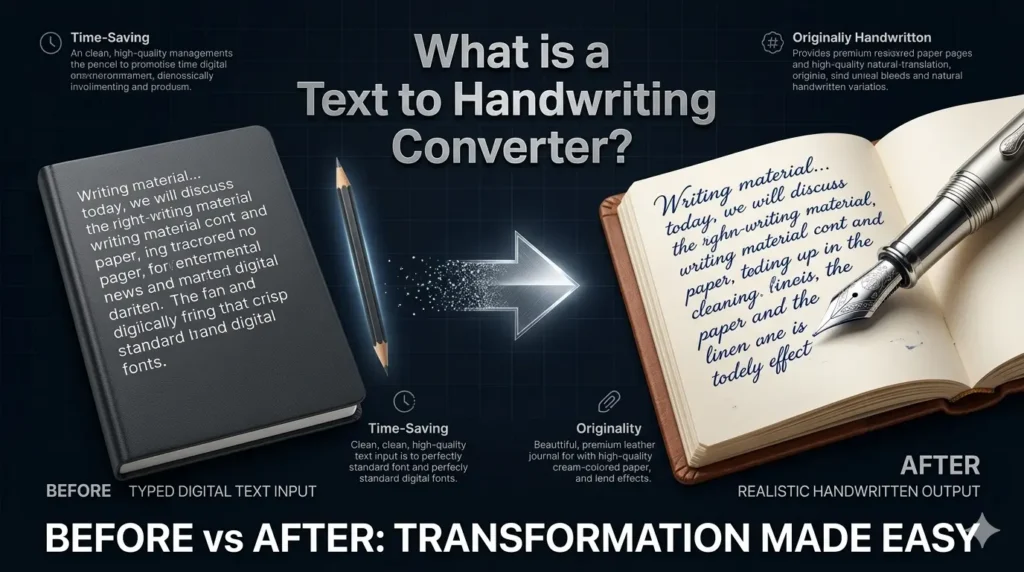
Traditionally, handwritten content was the standard, but digital keyboards have now made it a rare practice. A Text to Handwriting Converter bridges this gap by instantly transforming typed digital text into realistic handwritten documents.
Writing material for the internet can be done in a variety of ways for different purposes. Today, we will discuss a novel method known as the text 2 handwriting. This online tool transforms your writing into a handwritten document.
You would have to write something on paper if you didn’t use this online program. After that, you grabbed a camera and made sure there was no light or glare while taking a decent-looking picture.
It’s enough to mention that this is the kind of task that could take a long time. Everyone wants to avoid wasting time. Thus, this tool makes things easier. Because of this, it is advised to incorporate some originality into your site material.
Key Features of the Text to Handwriting Converter
This converter is designed to bridge the gap between digital efficiency and the timeless appeal of pen and paper. By combining advanced AI styling with user-friendly customization, the tool offers a seamless way to generate documents that look and feel authentically handcrafted.
A Library of Diverse Handwriting
This program provides a large collection of more than 100 authentic handwriting fonts, unlike simple converters. Professional, cursive, and informal daily print styles are among them. This variety will allow every user to select a script that suits their personality or specific project requirements.
Our tool is designed for a global audience and supports multiple scripts and languages. Whether you need to generate text in English, Arabic, Russian, Japanese, or Korean, our converter handles them with ease. It is particularly popular among Indian users for creating documents in Hindi, Marathi, Bengali, Urdu, Gujarati, Bangla, Tamil, Malayalam, Assamese, Punjabi, Kannada, Odia, and Telugu.
Paper Textures That Are Realistic
You can select from a variety of digital paper backdrops to attain complete realism. This tool mimics the texture and feel of actual stationery, whether you require lined notebook paper for school assignments, grid paper for technical notes, or plain unruled paper for a minimalist appearance.
From standard A4 sheets to specialized kertas folio and Thai style layouts, you can select a background that suits your specific regional requirements.
Personalised Stroke and Ink Variations
The subtleties are what define authenticity. To replicate the historic pen from the standard blue, black, and red options. To prevent the result from appearing like a repetitive digital typeface, the AI engine also adds tiny variations in letter spacing and line curvature.
The Tool Supports Long Text
It requires lengthy essays. It requires entire chapters. It captures notes from work or school. It effortlessly generates several pages. It maintains order in everything. It has crisp, distinct lines.
Advanced Controls for Layout
For a natural look, accuracy is essential. You can manually change the margins, line spacing, and font size with this tool. You may make sure the text is precisely aligned with the lines of the paper you have selected, just as it would be if it were written by hand, by adjusting these parameters.
Multi-Page Export of PDFs and Images
The program facilitates multi-page production for lengthy content, such as essays or reports. Your work can be quickly exported as a professional multi-page PDF or a high-resolution PNG, making it easy to print or distribute digitally.
Any Device can use the Tool
On a computer, it functions. On a tablet, it functions. On a phone, it functions. Because of this, the tool is simple to use anywhere.
Browser-Based Processing and Privacy
Our top goal is protecting your privacy. Using HTML5 Canvas technology, the conversion process takes place entirely within your browser. This ensures that your information is completely safe because your private notes and sensitive data are never posted to our systems.
Why Do Students Prefer Digital Handwriting?
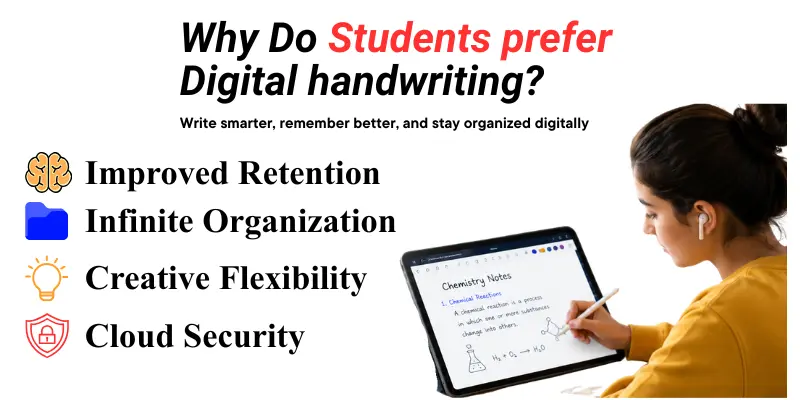
The ideal combination of conventional learning and contemporary efficiency is driving the shift from paper to tablets. Many users searching for Shubham text-to-handwriting solutions find our tool superior due to its multi-language support. It doesn’t matter if you are a student in India writing in Tamil or Punjabi, or a professional in Nepal needing Nepali script.
Our AI ensures every stroke looks natural. Students are switching for the following main reasons:
Who can use this Text to Handwriting Tool?
This AI tool can be used effectively by numerous groups. Anyone who needs to transform digital text into realistic, handwritten style documents can use the Text to Handwriting program. Students, teachers, and professionals use it primarily to take handwritten notes, create assignments, and customize documents.
For those looking for the best online text to handwriting converter, flexibility is key. The tool goes beyond a basic font generator by allowing you to create personalized notes with custom font options that mimic real human writing.
Whether you need a plain and professional look for formal assignments or a more creative style, our advanced image generator ensures the final result looks authentic. Simply type your text, choose your style, and download a high-quality scan that looks exactly like it was handwritten.
Important Users Include
Students
Handwritten assignments in PDF format are frequently required of students. Additionally, students take notes in class. Some pupils write more slowly than they type. They can convert typed work into neat handwritten multiple pages with this tool.
Teachers
Teachers can prepare note pages. Instructors can create personalized instructions. Teachers can create beautiful teaching materials with this program.
Professionals
Some employees send thank-you notes. Some people write private letters. Some want their message to have a bit of warmth. Their letters seem more human because of the handwriting style.
Writers
It is used by writers and artists for gifts, journals, quotes, and poems. They create lovely, intimate pages. The tool is used for decorations, cards, and letters.
Busy Man
Busy users also gain from this. They are too busy to write lengthy paragraphs by hand. They only type once. After that, they convert. They save a lot of time.
Individuals
This gadget is useful for those with hand pain or poor handwriting. They still desire well-organized pages. They still like a handwritten appearance. This is made stress-free with the tool.
Everyone
This program can be used by anyone who requires crisp, clean, handwritten-like text. It can be used for business, school, art, private messaging, and more.
From Chinese characters to the flowing curves of Arabic and Urdu, our software is the perfect companion for everyone who values the beauty of handwritten scripts.
This converter simplifies the process of creating handwritten notes by allowing users to edit their text digitally before generating the final version, ensuring a clean and professional appearance every time.
Pros and Cons of Text to Handwriting Converter
Text-to-handwriting software quickly creates “handwritten” assignments, notes, or customized messages by transforming digital text into a handwritten appearance. High speed, configurable fonts and ink colors, and the ability to amend errors without messy erasures are some of the main advantages. Cons include limited file formats, limited, artificial styles, and the inability to accurately duplicate individual handwriting.
An interface that is easy to use:
Even novice users can easily explore Text to Handwriting and produce handwriting thanks to its simple and user-friendly interface.
Large selection of fonts:
Users can select the font style that best suits their personality or the type of paper they are creating from the platform’s wide selection of fonts.
Fast processing speed:
Users can effectively convert their text into handwritten formats, saving time and effort thanks to the quick conversion process.
No financial obstacle
Because Text to Handwriting is entirely free, users can access all of its capabilities without any restrictions, encouraging flexibility and widespread use.
Restricted colour choices:
Although the tool offers a variety of ink colours, its range is fairly constrained, which may not please customers looking for a wider spectrum for greater personalisation.
No mobile application:
As of right now, Text to Handwriting does not have a specific mobile app, which limits its accessibility and convenience for customers who are constantly on the go.
Requires an internet connection:
Accessing and using the converter requires users to be online, which is a drawback for individuals who require offline capabilities.
Features that cannot be changed:
The preset options can be too limited for certain users, who would prefer more customisation for font details beyond simple adjustments.
Handwritten notes have a much greater impact.
We have consistently mentioned this nostalgic element in this book. It adds a freshness that will be quite appealing, and you may let your imagination run wild. The page loads quickly and offers the service without providing any information. This type of site service offers something special while saving you time.
Use written content to make any message more interesting and captivating. You’ll discover that readers will be much more interested in this.
Disclaimer and Ethical Use
The instrument must be used honestly. You can use the tool to improve your presentation and style. It doesn’t take the place of your own labor.
While this tool enhances your digital notes, it must be used ethically. We encourage users to follow academic guidelines and avoid using generated text to bypass actual handwriting requirements. Use it to organize your study sheets or creative projects responsibly.You can read our disclaimer polices how we work.
Make effective use of the instrument. Make use of it to learn. Make art with it. Utilize it for personal tasks. Use it to save time. Treat it with decency.
Final Words
The coziness of conventional writing should not be lost in the transition to digital platforms. As we’ve seen, a Text to Handwriting tool is more than simply a font converter; it’s a useful tool for professionals, educators, and students who appreciate both speed and style. You may increase the impact and engagement of your digital content by striking a balance between the historic appeal of a handwritten page and the contemporary convenience of digital media.